
Automatic Dimming Mirror — If Equipped
This mirror automatically adjusts for headlight glare from vehicles behind you. You can turn the feature on or off by pressing the button at the base of the mirror.Alight to the left of the button will illuminate to indicate when the dimming feature is activated. The sensor to the right of the button does not illuminate.
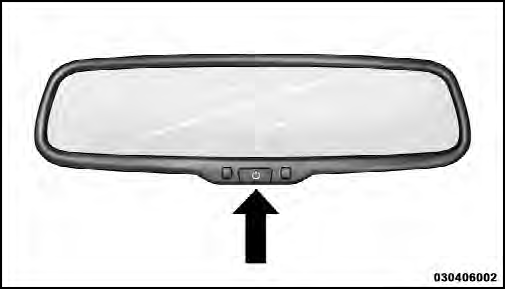
Automatic Dimming Mirror
CAUTION!
To avoid damage to the mirror during cleaning, never
spray any cleaning solution directly onto the mirror.
Apply the solution onto a clean cloth and wipe the mirror clean.
See also:
Using The Remote Control
1. Press the MODE button on the Remote Control.
2. While looking at Screen 1 or 2, highlight VES DISC by
either pressing Up/Down/Left/Right buttons or by repeatedly
pressing the MODE button, then ...
Safety, Features & Pricing
In crash tests by the Insurance Institute for Highway Safety, the 200 sedan
earned the top score, Good, across all categories. Accordingly, the car is an
IIHS Top Safety Pick — a distinction sev ...
Sunshade Operation
The sunshade can be opened manually. However, the
sunshade will open automatically as the sunroof opens.
NOTE:
The sunshade cannot be closed if the sunroof is
open. ...