
Totally Integrated Power Module
The Totally Integrated Power Module is located in the engine compartment near the battery. Refer to the applicable “Engine Compartment” illustration in this section.
This center contains cartridge fuses and mini-fuses. A label that identifies each component may be printed or embossed on the inside of the cover.
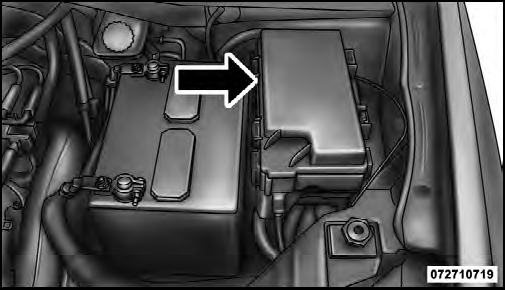
Totally Integrated Power Module
CAUTION!
• When installing the Totally Integrated Power
Module cover, it is important to ensure the cover is
properly positioned and fully latched. Failure to
do so may allow water to get into the Integrated
Power Module, and possibly result in a electrical
system failure.
• When replacing a blown fuse, it is important to
use only a fuse having the correct amperage rating.
The use of a fuse with a rating other than indicated
may result in a dangerous electrical system overload.
If a properly rated fuse continues to blow, it
indicates a problem in the circuit that must be
corrected.
The numbers inside the TIPM cover correspond to the following table.

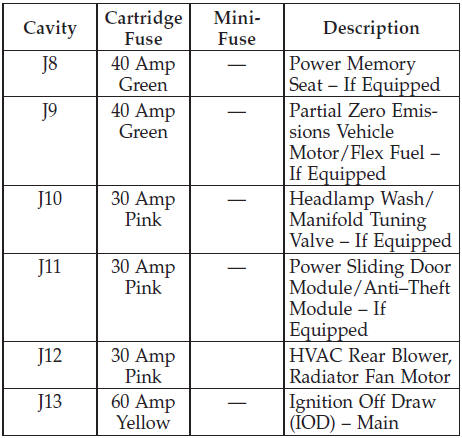
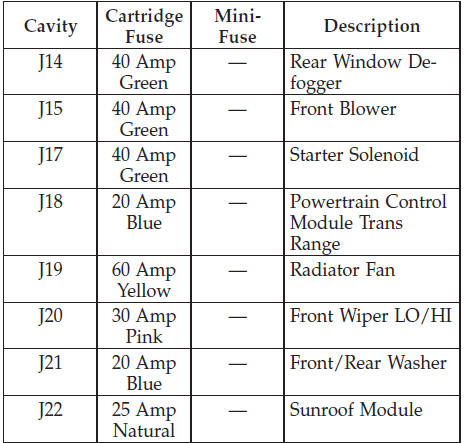
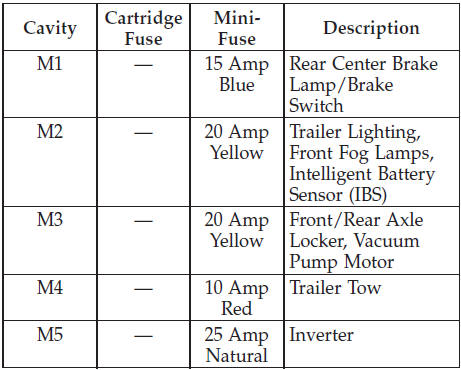
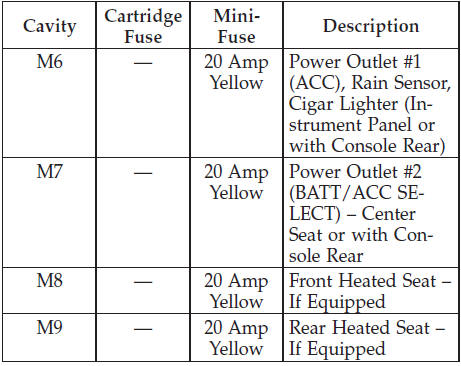
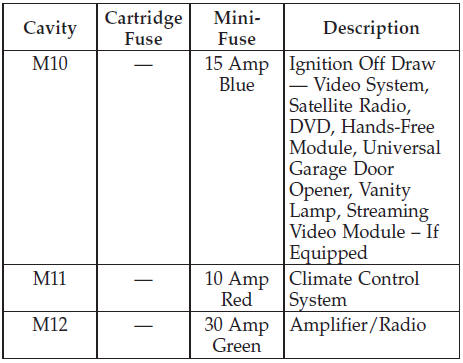
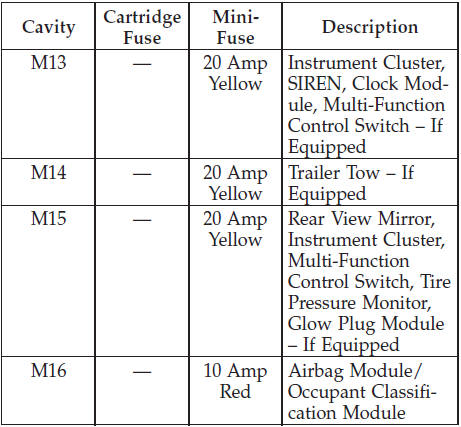
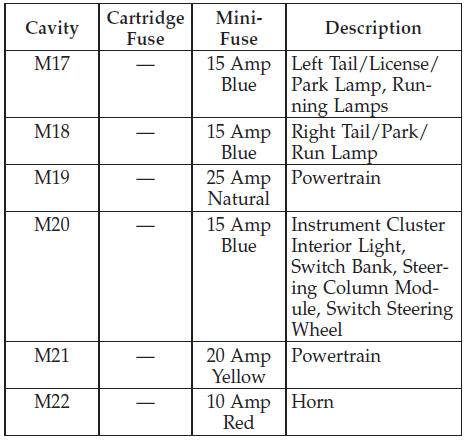
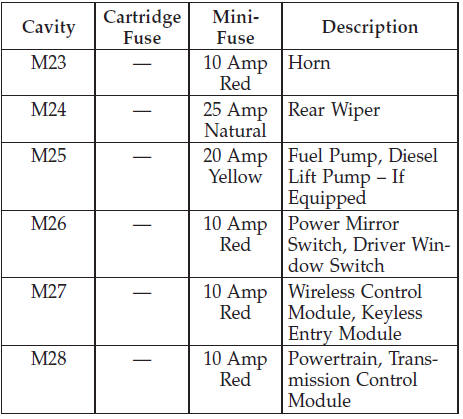
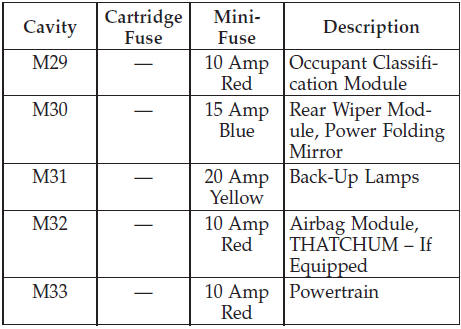
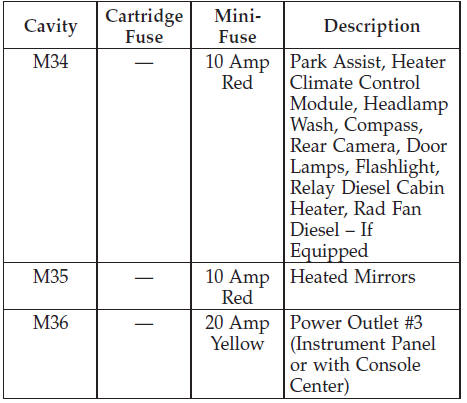
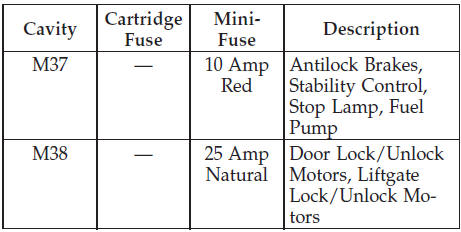
The heated mirrors, lower instrument panel power outlet and removable floor console, when in the front position are fused with self-resetting fuses that are only serviceable by an authorized dealer. The power seats are fused by a 30 Amp circuit breaker located under the driver’s seat. The power windows are fused by a 25 Amp circuit breaker located under the instrument panel near the steering column. If you experience temporary or permanent loss of these systems, see your authorized dealer for service.
See also:
Tire Markings
1 — U.S. DOT Safety Standards Code (TIN)
4 — Maximum Load
2 — Size Designation
5 — Maximum Pressure
3 — Service Description
6 — Treadwear, Traction and Temperature Grades
NOTE:
...
Recreational Towing – All Models
Recreational towing is allowed ONLY if the front wheels
are OFF the ground. This may be accomplished using a
tow dolly or vehicle trailer. If using a tow dolly, follow
this procedure:
1. Proper ...
Vehicles Not Equipped With Keyless Enter-N-Go
1. Turn the ignition switch to the ON/RUN position (Do
not start the engine.)
2. Fully depress the accelerator pedal, slowly, three times
within 10 seconds.
3. Turn the ignition switch to the O ...