
Six-Speed Automatic Transmission (62Te) — If Equipped
The shift lever position display (located in the instrument panel cluster) indicates the transmission gear range. You must press the brake pedal to move the shift lever out of the PARK position (refer to “Brake/Transmission Shift Interlock System” in this section). To drive, move the shift lever from PARK or NEUTRAL to the DRIVE position.
The electronically-controlled transmission provides a precise shift schedule. The transmission electronics are self-calibrating; therefore, the first few shifts on a new vehicle may be somewhat abrupt. This is a normal condition, and precision shifts will develop within a few hundred miles (kilometers).
Shifting from DRIVE to PARK or REVERSE should be done only after the accelerator pedal is released and the vehicle is stopped. Be sure to keep your foot on the brake pedal when moving the shift lever between these gears.
The transmission shift lever has PARK, REVERSE, NEUTRAL, DRIVE, and AutoStick shift positions. Manual shifts can be made using the AutoStick shift control (refer to “AutoStick ” in “Starting And Operating” for further information). Moving the shift lever to the left or right (-/+) while in the AutoStick position (below the Drive position) will manually select the transmission gear, and will display the current gear in the instrument cluster as 6, 5, 4, 3, 2, 1.
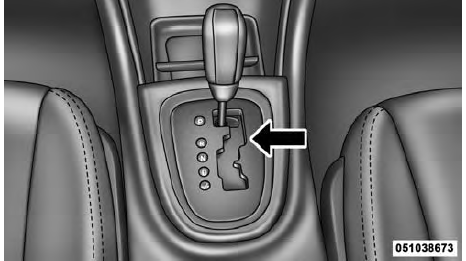
Shift Lever
See also:
Programming Additional Transmitters
If you do not have a programmed RKE transmitter,
contact your authorized dealer for details. ...
Securing The Spare Tire
1. Assemble the winch handle extensions to form a
T-handle and fit the winch T-handle over the drive nut.
Rotate the nut to the left until the winch mechanism stops
turning freely. This will allo ...
Older Children And Child Restraints
Children who are two years old or who have outgrown
their rear-facing convertible child seat can ride forwardfacing
in the vehicle. Forward-facing child seats and
convertible child seats used in ...