
How To Use This Manual
Consult the Table of Contents to determine which section contains the information you desire.
Since the specification of your vehicle depends on the items of equipment ordered, certain descriptions and illustrations may differ from your vehicle’s equipment.
The detailed index at the back of this Owner’s Manual contains a complete listing of all subjects.
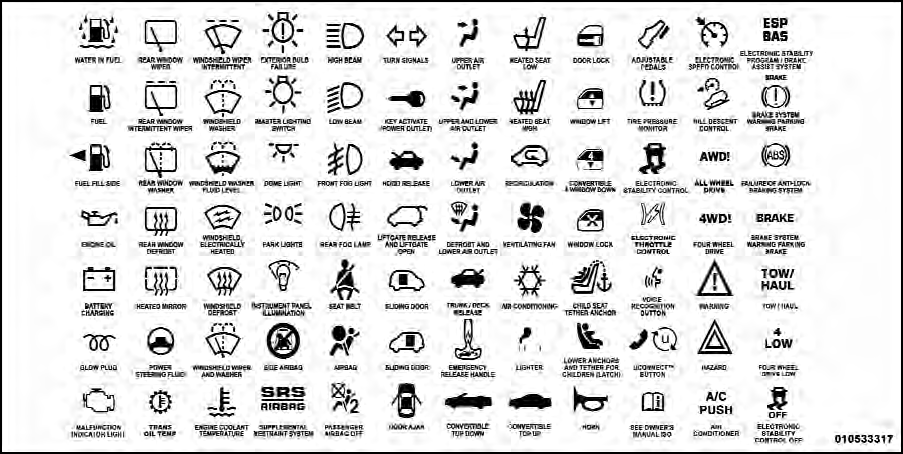
Consult the following table for a description of the symbols that may be used on your vehicle or throughout this Owner’s Manual:
See also:
Loading
To load your vehicle properly, first figure out its empty
weight, axle-by-axle and side-by-side. Store heavier items
down low and be sure you distribute their weight as
evenly as possible. Stow ...
Best-in-class 292 Horsepower with All-new Aluminum 3.6-liter Pentastar V-6
Engine
Engineered to provide exceptional in-town and highway efficiency and
performance, the all-new 2011 Chrysler 300 and 300 Limited models feature the
newest powertrain from the automaker - the 3.6-li ...
Electronic Vehicle Information Center (EVIC) Displays
The EVIC display consists of three sections:
1. The top line where compass direction, odometer line
and outside temperature are displayed.
2. The main display area where the menus and pop up
mes ...