
How To Use This Manual
Consult the Table of Contents to determine which section contains the information you desire.
Since the specification of your vehicle depends on the items of equipment ordered, certain descriptions and illustrations may differ from your vehicle’s equipment.
The detailed index at the back of this Owner’s Manual contains a complete listing of all subjects.
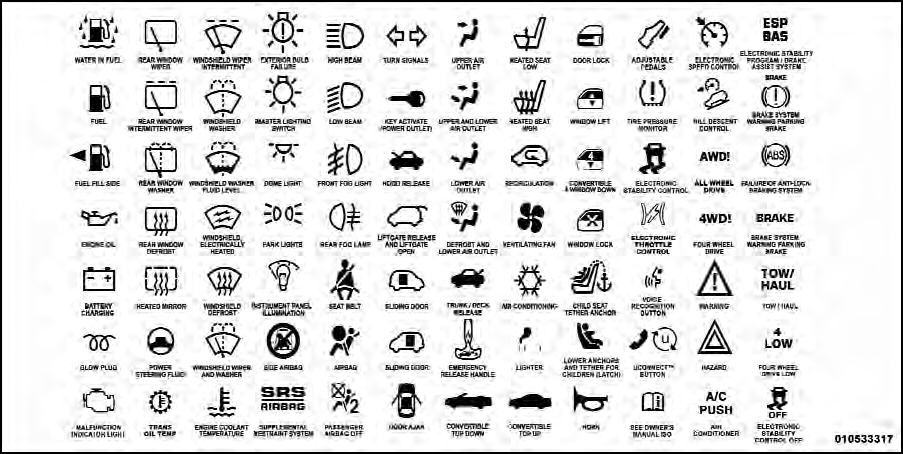
Consult the following table for a description of the symbols that may be used on your vehicle or throughout this Owner’s Manual:
See also:
ESC Operating Modes
The “ESC Off” switch is located in the center
switch bank, next to the hazard flasher switch.
ESC On
This mode is the normal operating mode for ESC on
two-wheel drive vehicles. Whenever ...
Plastic Grocery Bag Retainer Hooks
Retainer hooks which will hold plastic grocery bag
handles are built into the seatbacks of all rear seats and
some front seats. The floor supports the partial weight of
the bagged goods. ...
Vehicle Security Alarm — If Equipped
The Vehicle Security Alarm monitors the vehicle doors
for unauthorized entry and the Keyless Enter-N-Go
Start/Stop button for unauthorized operation. While the
Vehicle Security Alarm is armed, i ...