
Setting The Following Distance In ACC
The specified following distance for ACC can be set by varying the distance setting between 3 (long), 2 (medium), and 1 (short). Using this distance setting and the vehicle speed, ACC calculates and sets the distance to the vehicle ahead. This distance setting displays in the EVIC.
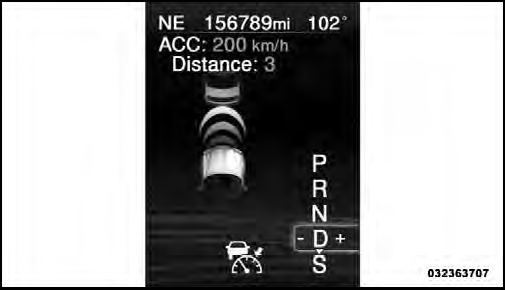
Distance Set 3 (long)
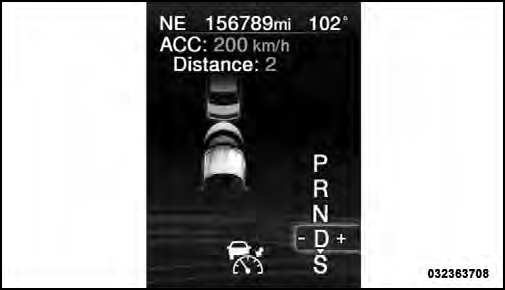
Distance Set 2 (medium)
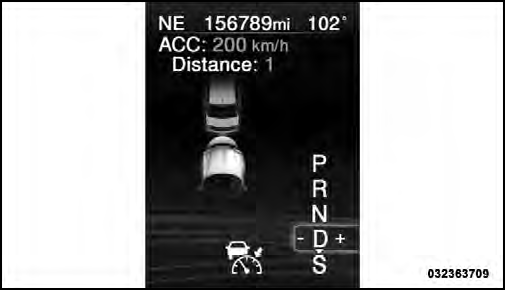
Distance Set 1 (short)
To change the distance setting, press the Distance button and release. Each time the button is pressed, the distance setting adjusts between 3 (long), 2 (medium), and 1 (short).
If there is no vehicle ahead, the vehicle will maintain the set speed. If a slower moving vehicle is detected in the same lane, the EVIC displays the “Sensed Vehicle Indicator” icon, and the system adjusts vehicle speed automatically to maintain the distance setting, regardless of the set speed.
The vehicle will then maintain the set distance until:
• The vehicle ahead accelerates to a speed above the set speed.
• The vehicle ahead moves out of your lane or view of the sensor.
• The vehicle ahead slows to a speed below 15 mph (24 km/h) and the system automatically disengages itself.
• The distance setting is changed.
• The system disengages. (Refer to the information on ACC Activation).
The maximum braking applied by ACC is limited; however, the driver can always apply the brakes manually, if necessary.
NOTE:
The brake lights will illuminate whenever the
ACC system applies the brakes.
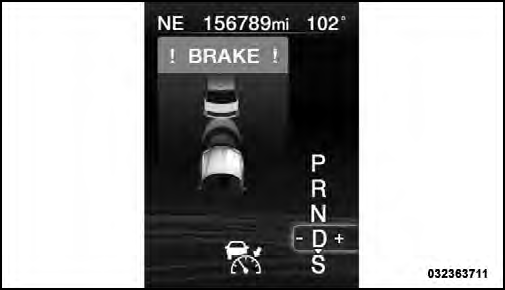
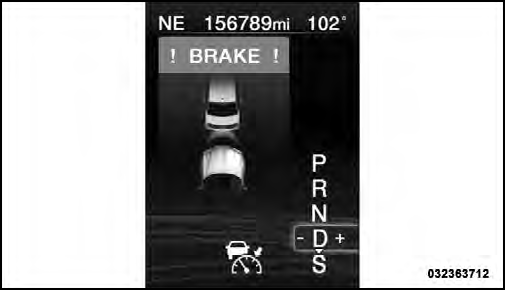
AProximityWarning will alert the driver if ACC predicts that its maximum braking level is not sufficient to maintain the set distance. If this occurs, a visual alert “BRAKE” will flash in the EVIC and a chime will sound while ACC continues to apply its maximum braking capacity. When this occurs, you should immediately apply the brakes as needed to maintain a safe distance from the vehicle ahead.
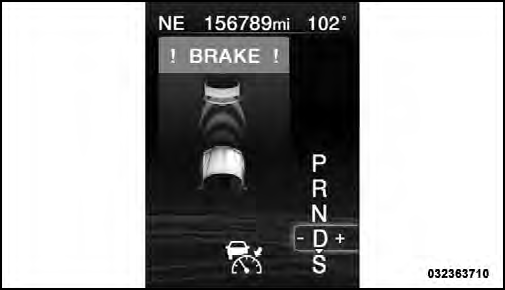
Brake Alert 3
Brake Alert 2
Brake Alert 1
See also:
Jacking And Tire Changing
WARNING!
• Do not attempt to change a tire on the side of the
vehicle close to moving traffic. Pull far enough off
the road to avoid the danger of being hit when
operating the jack or changin ...
DRIVE
This range should be used for most city and highway
driving. It provides the smoothest upshifts and downshifts,
and the best fuel economy. The transmission
automatically upshifts through underdr ...
How To Use This Manual
Consult the Table of Contents to determine which section
contains the information you desire.
Since the specification of your vehicle depends on the
items of equipment ordered, certain descriptio ...