
Control Buttons
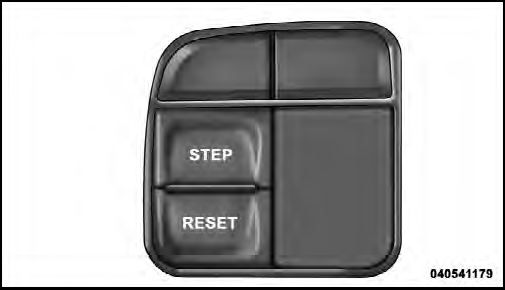
Mini-Trip Control Buttons
STEP Button
Press the STEP button located on the steering wheel to scroll through sub menus (i.e., Temperature, Trip Functions:
Odometer, Trip A, Trip B).
RESET Button
To reset the display shown, turn the ignition switch to the ON position, then press and hold the RESET button located on the steering wheel.
The following displays can be reset or changed:
• Trip A
• Trip B
Trip Odometer (ODO)
This display shows the distance traveled since the last reset. Press and release the STEP button on the instrument cluster to switch from odometer, to Trip Aor Trip B.
Trip A
Shows the total distance traveled for Trip A since the last reset.
Trip B
Shows the total distance traveled for Trip B since the last reset.
See also:
Special Additives
Automatic Transmission Fluid (ATF) is an engineered
product and its performance may be impaired by supplemental
additives. Therefore, do not add any fluid additives
to the transmission. The only ...
Key Fob
The Key Fob operates the ignition switch. Insert the
square end of the key fob into the ignition switch located
on the instrument panel and rotate to the desired position.
It also contains the Re ...
Warranty Information
See the Warranty Information Booklet, located on the
DVD, for the terms and provisions of Chrysler Group
LLC warranties applicable to this vehicle and market. ...