
Using The Touch-Screen Radio Controls
1. Press the MENU hard-key on the radio faceplate.
2. Touch the Rear VES soft-key to display the Rear VES Controls. If a channel list is displayed, press the HIDE LIST soft-key to display the Rear VES Controls screen.
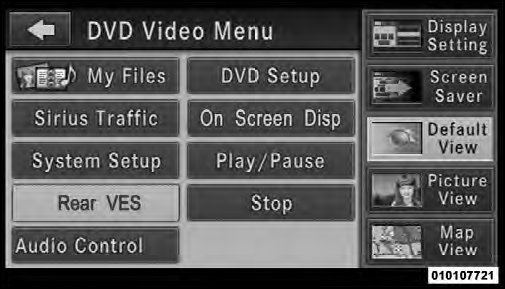
Rear VES Soft-key
3. Touch the 1 soft-key and then touch either AUX 1 or AUX 2 in the VES column (depending which AUX input is used). To exit press the back arrow soft-key at the top of the screen.
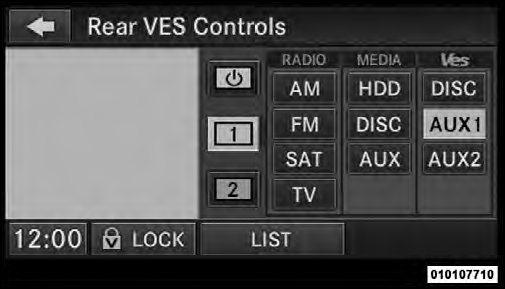
Select Channel/Screen 1 And AUX 1 In The VES Column
See also:
Instrument Panel Features
Instrument Panel Features
1 — Air Outlet
2 — Instrument Cluster
3 — Hazard Switch
4 — Uconnect Touch™ System
5 — Climate Control Hard Controls
6 — Glove Compartment
7 — ESC Of ...
Uconnect™ Voice Commands
The Uconnect™ Voice Command system understands
two types of commands. Universal commands are available
at all times. Local commands are available if the
supported radio mode is active.
Start ...
Wind Buffeting
Wind buffeting can be described as the perception of
pressure on the ears or a helicopter-type sound in the
ears. Your vehicle may exhibit wind buffeting with the
windows down, or the sunroof (i ...