
Fuel Economy
Press and release the UP or DOWN button until Fuel
Economy is highlighted. Press the SELECT button and
the next screen will display the following:
• Average Fuel Economy/Miles Per Gallon
• Distance To Empty (DTE)
• Miles Per Gallon (MPG)
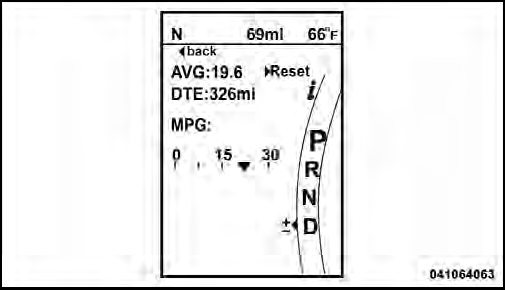
Fuel Economy
See also:
To Resume Speed
Press the RES + button and release. Then remove your
foot from the accelerator pedal. The EVIC will display the
last set speed.
NOTE:
You can resume ACC from a minimum of
20 mph (32 km/h).
WA ...
Dealer Service
Your authorized dealer has the qualified service personnel,
special tools, and equipment to perform all service
operations in an expert manner. Service Manuals are
available which include detail ...
Redial
• Press the button to begin.
• After the “Ready” prompt and the following beep, say
“Redial”.
• The Uconnect™ Phone will call the last number that
was dialed from your mobile ph ...