
Blower Control
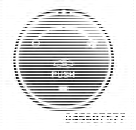
Rotate this control to regulate the amount of air forced through the ventilation system in any mode. The blower speed increases as you move the control to the right from the “O” (OFF) position. There are four blower speeds.
NOTE:
For vehicles equipped with Remote Start, the
climate controls will not function during Remote Start
operation if the blower control is left in the “O” (Off)
position.
See also:
System Status
Displays SYSTEM OK if there are no active Warning
Messages stored. Pressing and releasing the DOWN
button when SYSTEM OK is displayed will do nothing.
Displays SYSTEM WARNINGS PRESENT if there ar ...
Turning Confirmation Prompts ON/OFF
Turning confirmation prompts off will stop the system
from confirming your choices (e.g., the Uconnect™
Phone will not repeat a phone number before you dial it).
• Press the button to begin. ...
SIRIUS Setup
After pressing the SIRIUS Setup soft-key the following
settings will be available.
• Channel Skip
SIRIUS can be programmed to designate a group of
channels that are the most desirable to liste ...