
Control Buttons
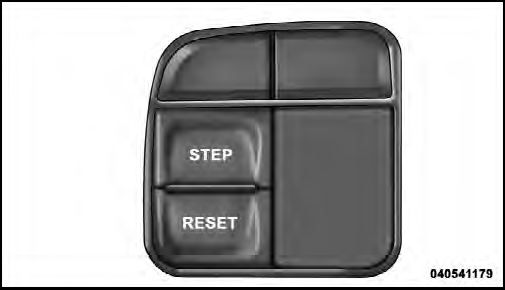
Mini-Trip Control Buttons
STEP Button
Press the STEP button located on the steering wheel to scroll through sub menus (i.e., Temperature, Trip Functions:
Odometer, Trip A, Trip B).
RESET Button
To reset the display shown, turn the ignition switch to the ON position, then press and hold the RESET button located on the steering wheel.
The following displays can be reset or changed:
• Trip A
• Trip B
Trip Odometer (ODO)
This display shows the distance traveled since the last reset. Press and release the STEP button on the instrument cluster to switch from odometer, to Trip Aor Trip B.
Trip A
Shows the total distance traveled for Trip A since the last reset.
Trip B
Shows the total distance traveled for Trip B since the last reset.
See also:
Anti-Lock Brake Warning Light
The “Anti-Lock Brake Warning Light” monitors
the anti-lock brake system. The light will
come on when the ignition switch is turned to
the ON position and may stay on for as long as
fou ...
To Resume
Press the RES + button and then remove your foot from
the accelerator pedal. The EVIC will display the last set
speed. ...
Towing Requirements – Trailer Brakes
• Do not interconnect the hydraulic brake system or
vacuum system of your vehicle with that of the trailer.
This could cause inadequate braking and possible personal
injury.
• An electronica ...