
Parksense Warning Display
The ParkSense Warning screen will only be displayed if Sound and Display is selected from the Customer- Programmable Features section of the Electronic Vehicle Information Center (EVIC). Refer to “Electronic Vehicle Information Center (EVIC)/Personal Settings (Customer- Programmable Features)” in “Understanding Your Instrument Panel” for further information.
The ParkSense Warning Display is located in the Instrument cluster’s EVIC display. It provides both visual and audible warnings to indicate the distance between the rear fascia/bumper and the detected obstacle.
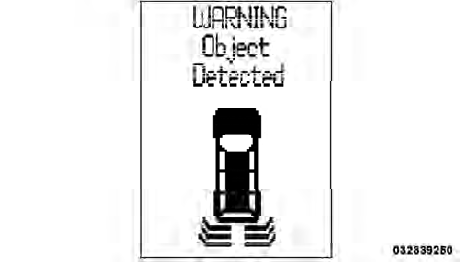
ParkSense Warning Display
See also:
Vehicles Without Wheel Covers
1. Mount the road tire on the axle.
2. Install the remaining lug nuts with the cone shaped
end of the nut toward the wheel. Lightly tighten the lug
nuts.
WARNING!
To avoid the risk of forcing t ...
Three-Way Calling
To initiate three-way calling, press the
button while
a call is in progress, and make a second phone call, as
described under “Making a Second Call While Current
Call is in Progress”. Afte ...
Defroster
Check operation by selecting the defrost mode and place
the blower control on high speed. You should be able to
feel the air directed against the windshield. See your
authorized dealer for servi ...