
Five-Speed Automatic Transmission – 5.7L Engine
The shift lever position display (located in the instrument panel cluster) indicates the transmission gear range. You must press the brake pedal to move the shift lever out of the PARK position (refer to “Brake/Transmission Shift Interlock System” in this section). To drive, move the shift lever from PARK or NEUTRAL to the DRIVE position.
The electronically-controlled transmission provides a precise shift schedule. The transmission electronics are self-calibrating; therefore, the first few shifts on a new vehicle may be somewhat abrupt. This is a normal condition, and precision shifts will develop within a few hundred miles (kilometers).
Shifting from DRIVE to PARK or REVERSE should be done only after the accelerator pedal is released and the vehicle is stopped. Be sure to keep your foot on the brake pedal when moving the shift lever between these gears.
The transmission shift lever has only PARK, REVERSE, NEUTRAL, and DRIVE shift positions. Manual shifts can be made using the “AutoStick ” shift control (refer to “AutoStick ” in this section). Moving the shift lever to the left or right (-/+) while in the DRIVE position will manually select the transmission gear, and will display that gear in the instrument cluster as 4, 3, 2, 1.
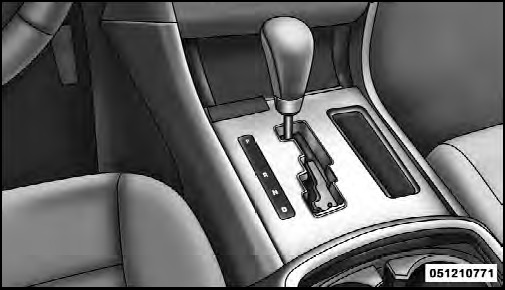
Shift Lever
See also:
To Set A Desired Speed
Turn the Electronic Speed Control ON. When the vehicle
has reached the desired speed, press the SET (-) button
and release. Release the accelerator and the vehicle will
operate at the selected s ...
Gear Ranges
DO NOT race the engine when shifting from PARK or
NEUTRAL into another gear range. ...
Auto Unlock On Exit Programming
The Automatic Unlock Doors On Exit feature can be
enabled or disabled as follows:
• For vehicles equipped with the Electronic Vehicle
Information Center (EVIC), refer to “Electronic Vehicle
...