
Front Map/Reading Lights
Lights are mounted in the overhead console. Each light can be turned on by pressing the switch on either side of the console. These buttons are backlit for night time visibility.
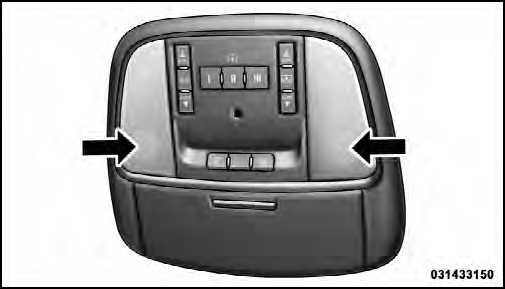
Front Map/Reading Lights
To turn the lights off, press the switch a second time. The lights also turn on when a door is opened. The lights will also turn on when the UNLOCK button on the RKE is pressed.
See also:
To Set A Desired Speed
When the vehicle reaches the speed desired, press the
SET - button and release. The EVIC will display the set
speed.
NOTE:
You must observe the display when setting or
changing speed, not the ...
Power Mirrors
The power mirror controls are located on the driver’s
door trim panel.
Power Mirror Switch
To adjust a mirror, turn the control wand toward the left
or right mirror positions indicated. Tilt ...
Information Mode Display
Information Mode Video Screen Display
1. Channel 1 Mode
2. Channel 1 Shared Status
3. Channel 1 Audio Only/Mute
4. Channel 2 Mode
5. Channel 2 Shared Status
6. Channel 2 Audio Only/Mute
7. Ch ...