
To Set A Desired ACC Speed
When the vehicle reaches the speed desired, push the SET - button and release. The EVIC will display the set speed.

ACC Set
Remove your foot from the accelerator pedal. If you do not, the vehicle may continue to accelerate beyond the set speed. If this occurs:
• The message “DRIVER OVERRIDE” will display in the EVIC.
• The system will not be controlling the distance between your vehicle and the vehicle ahead. The vehicle speed will only be determined by the position of the accelerator pedal.
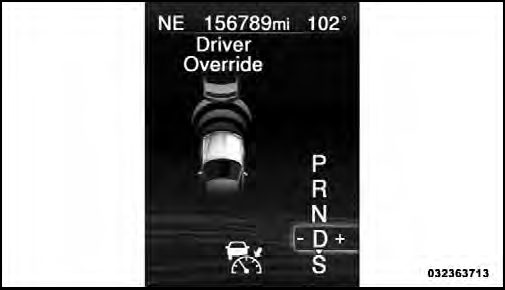
Driver Override
See also:
Messages #
Select from Main Menu using the UP or DOWN buttons.
This feature shows the number of stored warning messages
(in the # place holder). Pressing the SELECT button
will allow you to see what the sto ...
Special Additives
Automatic Transmission Fluid (ATF) is an engineered
product and its performance may be impaired by supplemental
additives. Therefore, do not add any fluid additives
to the transmission. The only ...
Exhaust System
The best protection against carbon monoxide entry into
the vehicle body is a properly maintained engine exhaust
system.
If you notice a change in the sound of the exhaust system;
or if the exha ...