
Active Head Restraints — Front Seats
The front driver and passenger seats are equipped with Active Head Restraints (AHR). In the event of a rear impact the AHRs will automatically extend forward minimizing the gap between the back of the occupants head and the AHR.
The AHRs will automatically return to their normal position following a rear impact. If the AHRs do not return to their normal position see your authorized dealer immediately.
To raise the head restraint, pull upward on the head restraint. To lower the head restraint, press the push button, located at the base of the head restraint, and push downward on the head restraint.
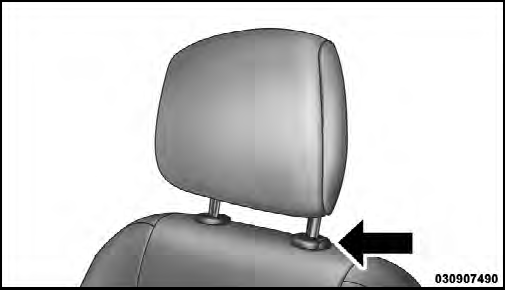
Push Button
NOTE:
The head restraints should only be removed by
qualified technicians, for service purposes only. If either
of the head restraints require removal, see your authorized
dealer.
WARNING!
Do not place items over the top of the Active Head
Restraint, such as coats, seat covers or portable DVD
players. These items may interfere with the operation
of the Active Head Restraint in the event of a
collision and could result in serious injury or death.
See also:
Turning Parkview On Or Off — With Navigation/Multimedia Radio
1. Press the “menu” hard-key.
2. Select “system setup” soft-key.
3. Press the “camera setup” soft-key.
4. Enable or disable the rear camera feature by selecting
“enable rear camera ...
Precautions While Driving With ACC
In certain driving situations, ACC may have detection
issues. In these cases, ACC may brake late or unexpectedly.
The driver needs to stay alert and may need to
intervene. ...
Controls
The headphone power indicator and controls are located
on the right ear cup.
NOTE:
The rear video system must be turned on before
sound can be heard from the headphones. To conserve
battery li ...