
Disc Menu
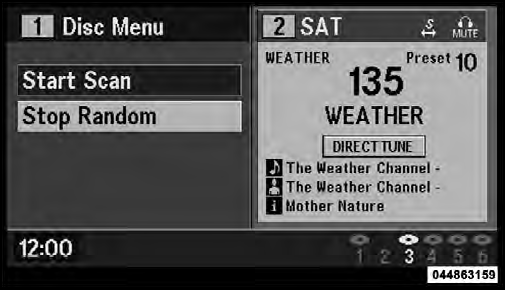
Disc Menu For CDs
When listening to a CD Audio or CD Data disc, pressing the remote control’s MENU button displays a list of all commands which control playback of the disc. Using the options you can activate or cancel Scan play and Random play.
See also:
Connect Or Disconnect Link Between The Uconnect™ Phone And Mobile Phone
Your mobile phone can be paired with many different
electronic devices, but can only be actively “connected”
with one electronic device at a time.
If you would like to connect or disconnect t ...
Adding Coolant
Your vehicle has been built with an improved engine
coolant (antifreeze) that allows extended maintenance
intervals. This engine coolant (antifreeze) can be used up
to five years or 104,000 mile ...
Starting Procedures
Before starting your vehicle, adjust your seat, adjust the
inside and outside mirrors, fasten your seat belt, and if
present, instruct all other occupants to buckle their seat
belts.
WARNING!
...