
Remote Control Storage
The video screen(s) come with a built in storage compartment for the remote control which is accessible when the screen is opened. To remove the remote, use your index finger to pull and rotate the remote towards you. Do not try to pull the remote straight down as it will be very difficult to remove. To return the remote back into its storage area, insert one long edge of the remote into the two retaining clips first, and then rotate the remote back up into the other two retaining clips until it snaps back into position.
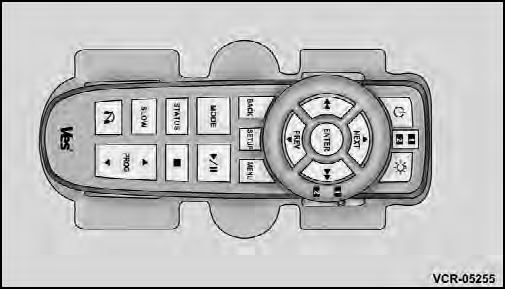
The Remote Control Storage
See also:
Natural Speech
Natural speech allows the user to speak commands in
phrases or complete sentences. The system filters out
certain non-word utterances and sounds such as “ah”
and “eh”. The system handles ...
Oil Change Required
Your vehicle is equipped with an engine oil change
indicator system. The Oil Change Required message will
flash in the EVIC display for approximately 10 seconds,
after a single chime has sounded ...
Checking Oil Level
To assure proper engine lubrication, the engine oil must
be maintained at the correct level. Check the oil level at
regular intervals, such as every fuel stop. The best time to
check the engine ...