
Parksense Warning Display
The ParkSense Warning screen will only be displayed if Sound and Display is selected from the Customer- Programmable Features section of the Electronic Vehicle Information Center (EVIC). Refer to “Electronic Vehicle Information Center (EVIC)/Personal Settings (Customer- Programmable Features)” in “Understanding Your Instrument Panel” for further information.
The ParkSense Warning Display is located in the Instrument cluster’s EVIC display. It provides both visual and audible warnings to indicate the distance between the rear fascia/bumper and the detected obstacle.
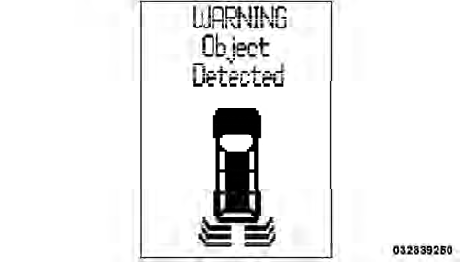
ParkSense Warning Display
See also:
General Information
This device complies with part 15 of the FCC rules and
RSS 210 of Industry Canada. Operation is subject to the
following conditions:
• This device may not cause harmful interference.
• Thi ...
Infants And Child Restraints
Safety experts recommend that children ride rearwardfacing
in the vehicle until they are two years old or until
they reach either the height or weight limit of their rear
facing child safety sea ...
Flowing/Rising Water
WARNING!
Do not drive on or across a road or path where water
is flowing and/or rising (as in storm run-off). Flowing
water can wear away the road or path’s surface
and cause your vehicle to ...