
Parksense Warning Display
The ParkSense Warning screen will only be displayed if Sound and Display is selected from the Uconnect Touch™ System. Refer to “Uconnect Touch™ Settings” in “Understanding Your Instrument Panel” for further information.
The ParkSense Warning screen is located within the Electronic Vehicle Information Center (EVIC). It provides visual warnings to indicate the distance between the rear fascia/bumper and/or front fascia/bumper and the detected obstacle.
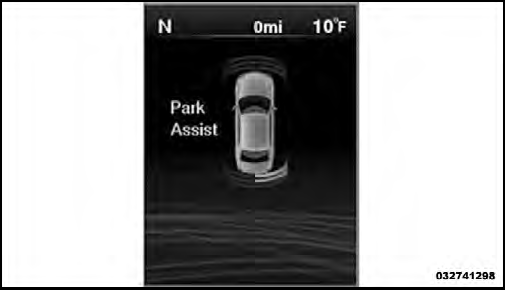
Park Assist Display
See also:
Towing Requirements – Trailer Lights And Wiring
Whenever you pull a trailer, regardless of the trailer size,
stop lights and turn signals on the trailer are required for
motoring safety. ...
Chassis
...
MOPAR Parts
MOPAR fluids, lubricants, parts, and accessories are
available from an authorized dealer. They are recommended
for your vehicle in order to help keep the vehicle
operating at its best. ...