
Temperature Control
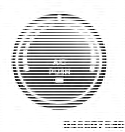
Rotate this control to regulate the temperature of the air inside the passenger compartment. Rotating the dial left into the blue area of the scale indicates cooler temperatures, while rotating right into the red area indicates warmer temperatures.
NOTE:
If your air conditioning performance seems
lower than expected, check the front of the A/C condenser
located in front of the radiator for an accumulation
of dirt or insects. Clean with a gentle water spray
from behind the radiator and through the condenser.
Fabric front fascia protectors may reduce airflow to the condenser, reducing air conditioning performance.
See also:
Programming Additional Transmitters
If you do not have a programmed RKE transmitter,
contact your authorized dealer for details. ...
Tire Pressure
Proper tire inflation pressure is essential to the safe and
satisfactory operation of your vehicle. Three primary
areas are affected by improper tire pressure: ...
Compass Variance
Compass Variance is the difference between Magnetic
North and Geographic North. To compensate for the
differences the variance should be set for the zone where
the vehicle is driven, per the zon ...