
Blower Control
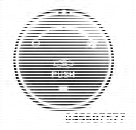
Rotate this control to regulate the amount of air forced through the ventilation system in any mode. The blower speed increases as you move the control to the right from the “O” (OFF) position. There are four blower speeds.
NOTE:
For vehicles equipped with Remote Start, the
climate controls will not function during Remote Start
operation if the blower control is left in the “O” (Off)
position.
See also:
Reset
• press the button.
• After the “Ready” prompt, and the following beep, say
“Setup”, then “Reset”.
This will delete all phone pairing, phone book entries,
and other settings in ...
Call By Saying A Name
• Press the button to begin.
• After the “Ready” prompt and the following beep, say
“Call”.
• The system will prompt you to say the name of the
person you want to call.
• After ...
Umbrella Holder
An umbrella holder has been conveniently molded into
the left front door entry scuff molding.
Umbrella Holder ...