
Media Center 230 (REQ) — AM/FM Stereo Radio And 6–Disc CD/DVD Changer (MP3/WMA AUX Jack)
NOTE:
The radio sales code is located on the lower right
side of the radio faceplate.
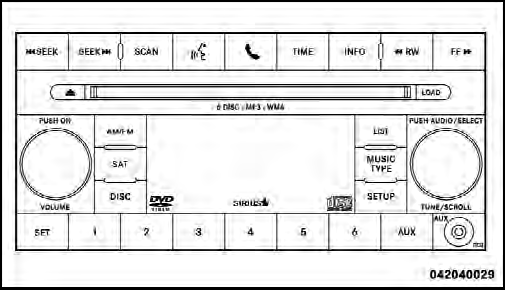
Media Center 230 (REQ)
See also:
Rechargeable Flashlight
The rechargeable flashlight is mounted on the right side
of the cargo area. The flashlight snaps out of the bezel
when needed. The flashlight features two bright LED
light bulbs and is powered b ...
Oil Change Due
Your vehicle is equipped with an engine oil change
indicator system. The Oil Change Due message will
display in the EVIC for five seconds after a single chime
has sounded at the start of each ig ...
A confident, fun driving experience is the result of major suspension
upgrades
The 2011 Chrysler 200 Convertible features an improved driving experience
across the board, with almost every system in the suspension being redesigned or
retuned, including 22 of the 28 suspensio ...