
Turn Signals
Move the multifunction lever up or down and the arrows on each side of the instrument cluster flash to show proper operation of the front and rear turn signal lights.
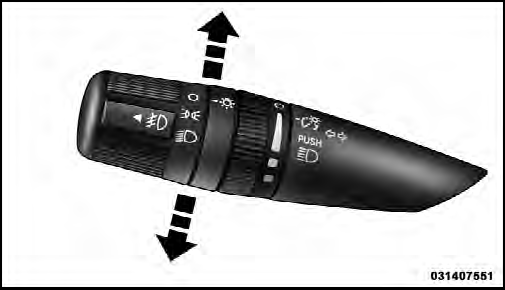
Turn Signal Control
NOTE:
If either light remains on and does not flash, or
there is a very fast flash rate, check for a defective outside
light bulb. If an indicator fails to light when the lever is
moved, it would suggest that the indicator bulb is
defective.
See also:
Tire Pressure Monitoring Low Pressure Warnings
The TPM Telltale Light will illuminate in the
instrument cluster, a LOW TIRE message will be
displayed and a chime will sound when tire pressure
is low in one or more of the four active road t ...
Jack Location
The jack, jack handle and winch handle tools are stowed
behind the rear left side trim panel in the rear cargo area.
Turn the two cover latches to release the cover.
Jack And Tool Location
Re ...
Auto-On Comfort & Remote Start
After pressing the Auto-On Comfort & Remote Start
soft-key the following settings will be available.
• Horn With Remote Start
When this feature is selected, the horn will sound when
the re ...