
Lumbar Support — If Equipped
Chrysler 200 Convertible / Chrysler 200 Owners Manual / Understanding the features of your vehicle / Seats / Lumbar Support — If Equipped
This feature allows you to increase or decrease the amount of lumbar support. The control lever is located on the outboard side of the driver’s seatback. Turn the control lever downward to increase and upward to decrease the desired amount of lumbar support.
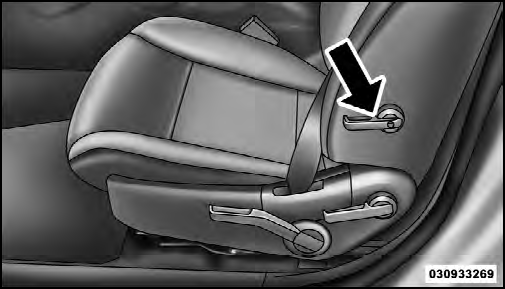
Lumbar Support
See also:
Operating Tips
NOTE:
Refer to the chart at the end of this section for
suggested control settings for various weather conditions. ...
Turn Menu Off
Press and release SELECT to turn the menu off. ...
Warranty Information
See the Warranty Information Booklet, located on the
DVD, for the terms and provisions of Chrysler Group
LLC warranties applicable to this vehicle and market. ...