
Heated Steering Wheel — If Equipped
The steering wheel contains a heating element that helps warm your hands in cold weather. The heated steering wheel has only one temperature setting. Once the heated steering wheel has been turned on it will operate for approximately 58 to 70 minutes before automatically shutting off. The heated steering wheel can shut off early or may not turn on when the steering wheel is already warm.
The heated steering wheel switch is located on the switch bank below the climate controls.
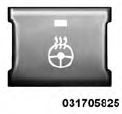
Press the switch to turn on the heated steering wheel. The light on the switch will illuminate to indicate the steering wheel heater is on. Pressing the switch a second time will turn off the heated steering wheel and light indicator.
NOTE:
The engine must be running for the heated
steering wheel to operate.
Vehicles Equipped With Remote Start
On models that are equipped with remote start, the heated steering wheel can be programmed to come on during a remote start. Refer to “Remote Starting System — If Equipped” in “Things to Know Before Starting Your Vehicle” for further information.
WARNING!
• Persons who are unable to feel pain to the skin
because of advanced age, chronic illness, diabetes,
spinal cord injury, medication, alcohol use, exhaustion,
or other physical conditions must exercise
care when using the steering wheel heater. It
may cause burns even at low temperatures, especially
if used for long periods.
• Do not place anything on the steering wheel that
insulates against heat, such as a blanket or steering
wheel covers of any type and material. This may
cause the steering wheel heater to overheat.
See also:
Manual Front/Second Row Seat Adjuster
Both front seats are adjustable forward or rearward. The
manual seat adjustment handle is located under the seat
cushion at the front edge of each seat.
Manual Seat Adjuster
While sitting in t ...
Operating Tips
...
Buttons 1 - 6
These buttons tune the radio to the stations that you
commit to pushbutton memory (12 AM and 12 FM
stations). ...