
Setting The Analog Clock
To set the analog clock at the top center of the instrument panel, press and hold the button until the setting is correct.
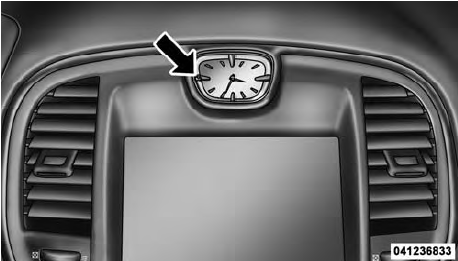
Setting The Analog Clock
See also:
Answer Or Reject An Incoming Call — Call Currently In Progress
If a call is currently in progress and you have another
incoming call, you will hear the same network tones for
call waiting that you normally hear when using your
mobile phone. Press the butto ...
Power Mirrors
The power mirror controls are located on the driver’s
door trim panel.
Power Mirror Control
The power mirror controls consist of mirror select buttons
and a four-way mirror control switch. T ...
Join Calls
When two calls are in progress (one active and one on
hold), touch the “Join Calls” soft-key on the Phone main
screen to combine all calls into a Conference Call. ...