
Instrument Cluster — Premium
Chrysler 300 / Chrysler 300 Owners Manual / Understanding Your Instrument Panel / Instrument Cluster — Premium
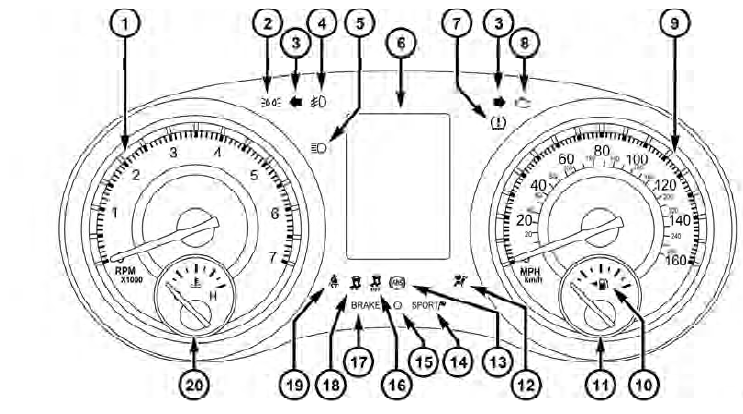
Instrument Cluster — Premium
See also:
Starting
The characteristics of E-85 fuel make it unsuitable for use
when ambient temperatures fall below 0°F (-18°C). In the
range of 0°F (-18°C) to 32°F (0°C), you may experience an
increase in t ...
To Open And Close The Hood
To open the hood, two latches must be released.
1. Pull the hood release lever located under the left side
of the instrument panel.
Hood Release Lever
2. Then lift the secondary latch located u ...
Automatic Headlights — If Equipped
This system automatically turns the headlights on or off
according to ambient light levels. To turn the system on,
rotate the headlight switch counterclockwise to the
AUTO position. When the sys ...