
Instrument Cluster
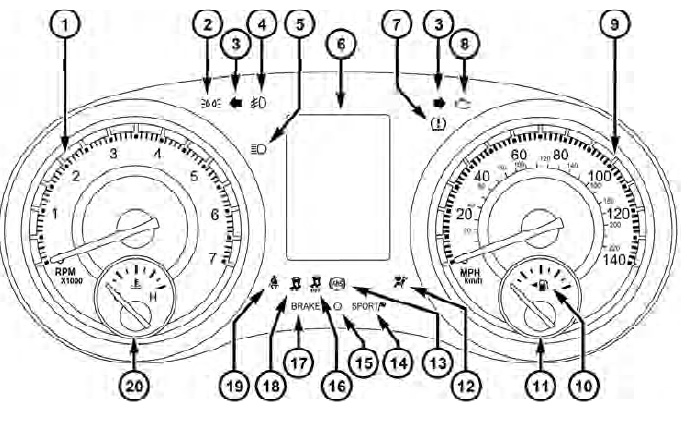
Instrument Cluster
See also:
Tilting The Seat Up Or Down
The angle of the seat cushion can be adjusted in four
directions. Pull upward or push downward on the front
or rear of the seat switch, the front or rear of the seat
cushion will move in the dir ...
Using The Remote Control
1. Press the MODE button on the Remote Control.
2. While looking at Screen 1 or 2, highlight VES DISC by
either pressing Up/Down/Left/Right buttons or by repeatedly
pressing the MODE button, then ...
Selection Of Engine Oil For Flexible Fuel Vehicles (E-85) And Gasoline
Vehicles
FFV vehicles operated on E-85 require specially formulated
engine oils. These special requirements are included
in MOPAR engine oils, and in equivalent oils meeting
Chrysler Specification MS-639 ...